Category: WordPress

  • How MemberMagix Got Approved on WordPress.org: A Version-by-Version Freemium Rebuild

    How MemberMagix Got Approved on WordPress.org: A Version-by-Version Freemium Rebuild

    What the plugin review team made me rebuild, and why every round of their feedback was worth listening to.


    The approval email arrived late Friday afternoon. I was with family, spending time with my son, and I don’t usually read email before I go to bed. This time I did. I almost got up and went straight back to the desk. Instead, I closed the laptop and got a good night’s sleep. This morning, coffee first. Then the listing went live.

    MemberMagix is now on the WordPress.org plugin directory. Version 4.0.4.


    A year ago I walked into a room in Lisbon

    About a year ago, I spent a Saturday inside a university auditorium in Lisbon at WordCamp Lisboa 2025. Sporting CP was celebrating outside. I was inside with a room full of people who turned out to be the WordPress community I’d been using the software from for over a decade without knowing existed. I wrote that story already in “Lisboa Had Two Champions Last Weekend”, so I won’t retell it here.

    I’m not a WordPress evangelist. I dip between many waters. I like it that way. Part of why this launch was harder than it should have been is that I showed up to the plugin review with the instincts of a freelance builder, not a WordPress insider.

    This post is about what happened between clicking submit on version 1.0.0 and reading the email on Friday. It’s the story the previous two MemberMagix posts didn’t tell, because when I wrote them the plugin wasn’t approved yet.


    The clash nobody tells you about

    When I build software for clients, I optimize for user experience. Everything in the admin panel. One install, one activation, full functionality. No documentation required, no second plugin to find, no decisions the user has to make just to get started. That is how I think about quality.

    WordPress.org optimizes for something different. They optimize for user freedom. Nothing in the free plugin may be locked. Nothing visible may be out of reach. No teasers, no coming-soon badges, no disabled buttons. The free plugin must be a complete, standalone product with no shadows of a future upgrade falling across the screen.

    These two design goals fight each other. I learned that the hard way, across four major versions and several rounds of review.


    Round one: the sheer length of the list

    The first feedback email didn’t sting because of any single comment. It stung because of the length.

    Escaping. Sanitization. Translator comments on every string with a placeholder. register_setting calls missing their sanitize callback. Google Fonts loaded from a CDN instead of the system font stack. Third-party services not disclosed in the right place in readme.txt. A long page of items, each one small on its own, collectively a statement: you did not read the handbook closely enough.

    I spent the next few days fixing every single item. Each version bump an act of contrition. The plugin came out cleaner. And then I made the mistake that cost me the next month.


    The mistake: building during the wait

    The review queue is slow. I should have waited. Written documentation, built a landing page, talked to people. Instead I stayed in flow, because that’s what builders do. When I’m in the zone, stopping feels like a kind of dying.

    So I kept coding. I migrated plugin licensing from Lemon Squeezy to a self-hosted Keygen CE server. I built in-plugin Stripe Embedded Checkout so users could upgrade without ever leaving the admin. I added premium content, three-tier pricing, reusable magic link tokens, single-session enforcement, a fully branded email template. Every version made the plugin better from a user-experience point of view. Every version also pushed it further from what WordPress.org’s directory allows in a free plugin. I didn’t see that second graph until much later.


    Round two: the rupture, and version 4.0

    The next round of feedback was gentler in tone and heavier in content. The message was simple: the free plugin you’re proposing has too much commercial machinery attached to it. You can’t ship Stripe here. You can’t ship an in-plugin checkout here. You can’t ship a licensing layer here. Those belong in a separate paid plugin that hooks in from outside. The free plugin must stand on its own.

    I remember sitting with that email and understanding what it meant. I had to take the version I was proudest of, the one where everything lived in a single admin panel, and break it in half.

    Version 4.0.0 was that break. The internal prefix renamed from mmx_ to mmax_ because mmx wasn’t unique enough on WordPress.org. Every commercial feature extracted into a separate add-on called MemberMagix Pro. Eighteen extension points added to the free plugin so that Pro could reach back in through standard WordPress filters. All inline JavaScript and CSS moved to enqueued files. GPL headers on every PHP file. The kind of refactor you don’t see coming the night before you submit version 1.0.0.

    There is no medium-sized way to cut a plugin in half.


    Round three: trialware

    “Trialware” is the WordPress.org term for anything in a free plugin that looks like a premium feature hiding behind a curtain. A locked button. A greyed-out tab. A feature the user can see but not use. The review team reads that as bait, and bait is forbidden.

    MemberMagix got flagged for it twice.

    The first flag was about custom overlays. MemberMagix overlays are implemented as a custom post type, because they need to be editable in Gutenberg like anything else. Only admins can create them, which is how WordPress custom post types work. The review team looked at that and read “hidden feature.” They weren’t wrong about what they saw. They were wrong about the intent. Instead of arguing, I surfaced the overlay custom post type in the admin menu and documented it clearly.

    The second flag was about the content protection meta box, which I’d restricted to posts and pages. I’d done that to keep the free plugin focused. The review team read it as “protection for other post types is a paid upgrade.” Also a fair read, given their rules. I opened the meta box up to every public post type in v4.0.4.

    I didn’t argue. I fixed both. You don’t argue with the review team the way you don’t argue with a lifeguard. They’re watching something you can’t fully see, and they’re right more often than they’re wrong.


    The catch I’m actually grateful for

    The same round of review brought something I didn’t expect: a real security finding.

    There was a REST endpoint in my plugin called check-email. It existed so the signup form could tell whether a submitted email already had an account and route the form into “sign up” or “log in” mode. Elegant from a user-experience angle. Broken from a security angle. The endpoint leaked account existence. Anyone could query it and find out whether a given email had a profile on the site. That’s textbook user enumeration, and it was sitting inside a plugin I had positioned as secure.

    The WordPress.org security audit caught it. I hadn’t. That is exactly what a real review team is for.

    I removed the endpoint, collapsed the two-step form into a single step, and made terms acceptance required on every request so the flow can’t leak anything by accident. Version 4.0.4 shipped with the fix and went into review one last time.

    I appreciated the catch. This is the kind of find that pays for the whole ordeal by itself.


    The email, again

    So the approval arrived late Friday afternoon. I was with family, spending time with my son. I don’t usually read email before I go to bed. This time I did. I was so excited I almost got up and went straight back to work.

    Instead I closed the laptop and slept.

    This morning, coffee first. Then the listing.


    What’s free, what’s Pro

    The free version of MemberMagix is exactly what the review team asked for: a complete, standalone content protection plugin. Passwordless magic-link login. Server-side protection, which means the protected content never leaves the server for a visitor who isn’t allowed to see it. A blur overlay with a signup form where the content would have been. Member management, CSV export, brand customization for the form and overlay. You install it, you activate it, it does the job. Nothing is held back. Nothing grey.

    MemberMagix Pro is the separate add-on for people who want to take it further. The heart of Pro is an inline Stripe checkout that is, honestly, one of the smoothest I’ve built. PayPal support is coming next. Bulk content protection across your archive. Custom overlay design. Pro is not a demo of features hidden from free. It’s a set of commercial capabilities that exist because some creators genuinely need them.

    Pro ships in the coming days. I’ll write about that separately when the listing is live.


    Three rules for anyone about to submit their first plugin

    Run Plugin Check locally before you send anything. It runs the same rules the review team runs. Every issue you fix before submission is a round you don’t have to sit through.

    Budget for more than one review round. The honest number for a non-trivial plugin is three or four. Plan accordingly.

    And do not put commercial machinery in your free plugin. Not Stripe, not licensing, not premium tiers. Build the free version as if the paid version does not exist yet, and then build the paid version as a separate add-on that hooks in through filters. Your future self, sitting with a “you have to split this in half” email at six in the morning, will thank you.


    The horizon

    MemberMagix is live in the WordPress.org plugin directory today. The free version is already the thing I wish had existed a year ago, when I was trying to put a simple email gate on a CRM knowledge base. Pro is next.

    And the review team? They do a hard job, mostly without thanks. I’m grateful they made me rebuild the plugin. I’m grateful they caught the bug. I’m grateful they told me no when I needed to hear it. The plugin I would have shipped without them would have been slower, riskier, and less useful to the community it’s meant to serve.

    A year ago I walked into a room in Lisbon as a WordPress user.

    Today my code runs on wordpress.org.

  • The Core Feature Matt Forgot to Build

    The Core Feature Matt Forgot to Build

    Why MemberMagix exists — and why it builds on WordPress, not around it.


    WordPress has had a user role called “subscriber” since 2005. It’s right there in the system — you can assign it, it exists. But there has never been a usable way for a visitor to actually become one. The role is defined. The onboarding was never built. I built it.


    The Subscriber That Never Was

    Since version 2.0, WordPress has shipped with subscribers as a core concept. Users, roles, permissions, a full database — everything you’d need for a community platform.

    There is no usable way for a visitor to subscribe to your blog from the frontend. You can technically enable registration and send people through wp-admin, but that’s not a user experience. That’s asking your audience to walk through the staff entrance of a restaurant to place an order.

    WordPress is a community platform. It has users, roles, permissions, a full database. It was built for people to publish and for other people to read what’s published. The subscriber role was supposed to be the bridge between those two groups. But for over twenty years, that bridge was never completed.


    The Wall

    Last year I wanted to use my WordPress site for something simple: show a database of CRM systems to people who sign up with their email. A lead magnet. Sign up, get access.

    I thought it would take five minutes to set up. It didn’t.

    The plugins I found had multi-step configuration wizards, bloated dashboards, features stacked on features. The original purpose — letting someone subscribe to your content — was buried.

    But the part that really bothered me was deeper than UX. Most of these plugins create their own database tables. Their own user management. Their own little kingdom inside your WordPress installation. Your subscribers aren’t WordPress users — they’re plugin users, locked inside a system that lives or dies with that plugin.

    I wanted something that uses WordPress the way it was designed to be used.

    So I built it.


    Plugin in the Truest Sense

    The word “plugin” means something specific. You add functionality to a system that the system was built to support but doesn’t provide out of the box. A plugin extends. It doesn’t replace. It doesn’t compete with the host. It completes it.

    When someone subscribes through MemberMagix, they become a WordPress user. A real one. Stored in the same wp_users table as your editors and administrators. Assigned the subscriber role that WordPress created twenty years ago but never gave a front door to.

    No proprietary database tables for user data. No parallel user management. No vendor lock-in. If you deactivate MemberMagix tomorrow, your subscribers are still there. They’re WordPress users. They belong to you, not to the plugin.

    One shortcode marks the cutoff point in your post. Everything above it is public. Everything below it is genuinely protected — server-side. The content doesn’t exist in the page source for unauthorized visitors. It’s not hidden with CSS. It’s not in the DOM. It’s not in the REST API response. It simply isn’t there.

    A visitor sees the teaser, a blur gradient, and a signup form. They enter their email, receive a magic link, click it, and they’re in. No password. No account setup wizard. The subscriber role — finally working as it should.

    The whole plugin sits at roughly 150 kilobytes. With a full subscriber model and Stripe integration for content creators who want to monetize. That’s lean. Deliberately lean.


    Own Your Platform

    There’s an old saying: don’t build a house on borrowed land. But that’s what happens when your content lives exclusively on Instagram, YouTube, or any platform you don’t control. You’re a tenant, not an owner.

    In this day and age, blogs almost feel nostalgic. But I think they’re due for a comeback, if done right. Done right means simple — one featured image, text, depth. A person with expertise sharing something meaningful for others in their niche. Peter Steinberger, the person behind OpenClaw, someone at the bleeding edge of technology, is running a blog in 2026. Not because he’s behind the times, but because the format works for deep thinking.

    Matt Mullenweg talks about content autonomy — creators owning their content and their audience. WordPress makes that possible. MemberMagix makes it practical, by giving your blog the one thing it was always missing: a real way for people to subscribe.


    Giving Back

    I’ve been creating content since the early 2000s, when my friend Sebastian and I ran a small company called 2b-media — a wordplay on Bondzio and Bung, “to be media” — cutting video on a Power Mac before iPhones existed. I’ve built content strategies for clients, ran my own channels, studied the game from every angle. I’m not the smartest one in the room, but I’m far from the dumbest — and the combination of creating content, building software, and understanding marketing is what put me in a position to build this.

    WordPress has been serving me and my clients for over a decade. It’s given me a career I didn’t plan but am grateful for. When I started building MemberMagix, it was a naive little project. It grew into a proper delivery, more work than I ever expected.

    The free version is fully functional — not a demo. You shouldn’t have to pay to protect your own content on your own platform. That’s table stakes. When you grow with it, when you want to monetize your content with your own Stripe account, that’s when the paid tiers make sense.

    If this plugin can help WordPress become a stronger platform for creators who own their audience, that’s my contribution to the ecosystem that’s been carrying me for years.


    The Horizon

    Version 3 is being coded right now, in the background while I’m writing this blog. I’m aiming for a UX that’s as smooth as the constraints of WordPress allow, as simple as the problem deserves.

    If you run a blog, if you create content that has value, if you believe your audience relationship should live on your own platform — MemberMagix is the core feature WordPress forgot to build. And it’s coming.

  • Another Five to Nine Day

    Another Five to Nine Day

    How a 16-hour sprint turned a shelved idea into a WordPress plugin ready for the world.

    Five in the morning. Ericeira is still dark. The coffee machine is the loudest thing in the house.

    I’d been planning my content sprint for the next 90 days — mapping out posts, scheduling topics, thinking about what this brand should say over the next quarter. And somewhere in that process, a thought surfaced. Not about content. About something I’d built months ago and shelved.

    A WordPress plugin. Simple, clean, and unfinished.

    I’d called it the Surfstyk Simplist Membership. The idea behind it was sharp: a lightweight way to protect content on WordPress. No bloated dashboards, no enterprise feature lists, no 47-step configuration wizards. Just a way for someone running a blog or a small community to say: this content is for people who care enough to introduce themselves.

    The concept was solid. The execution wasn’t. The marketing wrapper was wrong, the code needed polish, and other priorities had pushed it off the table. So it sat there. Unfinished. The worst state a project can be in.

    Until today.

    The Problem That Wouldn’t Go Away

    If you’ve ever tried to add membership functionality to a WordPress site, you know the landscape. Dozens of plugins, all competing on feature count. Multi-tier subscription systems, drip content, course builders, payment gateways, LMS integrations — stacked on top of each other like geological layers, each one adding weight.

    For someone who just wants to protect a few posts behind an email gate? There’s nothing lightweight available. You’re forced to install something built for a 10,000-member academy when all you want is a simple lock on your door.

    And then there’s the security question that nobody talks about.

    Most membership plugins hide content with CSS or JavaScript. The content is delivered to the browser — it’s right there in the DOM, in the source code, accessible through the REST API. The lock is decorative. Anyone with a browser’s developer tools can read your “protected” content in about ten seconds.

    That gap — between what people think is protected and what actually is — never sat right with me.

    Sixteen Hours

    I pushed everything aside. No content work, no client calls, no strategy sessions. Today was a building day.

    The first thing I did was throw out the old name and the old positioning. Surfstyk Simplist Membership was accurate but forgettable. The new name came from what the plugin actually does: it uses magic links. No passwords. You enter your email, you get a link, you click it, you’re in. It feels like magic — frictionless, instant, no credentials to remember.

    MemberMagix.

    And then I checked: membermagix.com was available. That almost never happens. I bought it before the coffee was cold.

    From there it was heads-down refactoring. The codebase needed to go from “working prototype” to “something I’m not embarrassed to submit to the WordPress.org repository.” That meant:

    The entire content protection architecture got rebuilt. Version 2 doesn’t hide content with CSS tricks. When an unauthorized visitor loads the page, the protected content never leaves the server. It’s not in the DOM. It’s not in the REST API response. It’s not anywhere the browser can reach. The page renders a teaser — the first few paragraphs, maybe a featured image — then a blur gradient fades into a signup form. Everything below the cutoff point simply doesn’t exist for that visitor.

    One shortcode. [mmx_cutoff]. Place it anywhere in your post. Everything above it is public. Everything below it is genuinely protected. Server-side. No tricks.

    The authentication got hardened. Honeypot fields for bots. Time-based detection — if a form is submitted in under two seconds, it’s not a human. Rate limiting per IP and email. The magic link token is encrypted and never exposed in any API response. It exists only in the email.

    The admin interface was rebuilt from scratch. A branded dashboard, tabbed settings, member management with CSV export, bulk protection tools. Clean. Functional. Not bloated.

    By the time I looked up, it was dark again outside.

    Why This Matters to Me

    I’ve been using WordPress for more than ten years. It’s the platform I keep coming back to, the one I recommend to clients, the one that runs this blog. WordPress powers a significant portion of the internet, and it does it with an open-source philosophy that I genuinely respect.

    But here’s the thing I only learned about a year ago: there’s a community behind it. Not just the software. People. Meetups. Contributors. An entire ecosystem of developers who give their time and their code to make the platform better for everyone.

    Finding that community — here in Portugal, of all places — changed how I see the platform. WordPress wasn’t just a tool I used. It was something I could contribute to.

    MemberMagix is that contribution. The free version is a complete solution. It’s not a demo. It’s not a trial. It’s not crippled to push you toward a purchase. It protects your content, authenticates your members with magic links, gives you a clean admin panel, and does it all without the bloat. If you need advanced features — Stripe integration, membership tiers, paid subscriptions — there’s a Pro version. But the free version stands on its own.

    This is my way of saying thank you. To a platform that’s been part of my professional life for over a decade. And to a community I wish I’d found sooner.

    Version 0.9.5 and the Submit Button

    The current version is 1.0.0. That’s the one I submitted to the WordPress.org plugin repository today.

    Friends in the WordPress community warned me: the approval process takes time. Another five to nine working days, they said. I’ve done my part. The code is clean, the security is tight, the documentation is written. Now it’s out of my hands.

    And that title? “Another Five to Nine Day.” Because the standard working day runs nine to five. Mine ran five to nine — 5 AM to 9 PM. Sixteen hours of focused building. No meetings. No context switching. Just code, coffee, and the quiet satisfaction of turning something unfinished into something real.

    The Horizon

    MemberMagix is just getting started. The landing page is live at membermagix.com. The Pro version is coming to Lemon Squeezy. The WordPress.org listing is pending approval.

    But this post isn’t really about a plugin. It’s about what happens when you stop planning and start building. When you take something that’s been sitting on the shelf, clear the day, and commit to finishing it.

    Not every day needs a strategy. Some days just need sixteen hours and a problem worth solving.

    Image Prompt

    A minimal, clean workspace at dawn — dark blue early morning light through a window, a laptop screen glowing with code, a coffee cup, and the faint warm glow of a desk lamp. The scene is calm and focused, no clutter. Muted tones, natural light, slightly warm. Shot on a 35mm lens, shallow depth of field. The feeling is quiet intensity — someone deep in focused work before the world wakes up. –ar 16:9 –v 7 –s 200 –q 2

  • How I Built the Simplest WordPress Membership Plugin (and Why I Had To)

    How I Built the Simplest WordPress Membership Plugin (and Why I Had To)

    Published: 2025-08-04

    🌙 How a Quiet Night in Ericeira Led Me to Build My Own WordPress Membership Plugin

    Ericeira, Portugal. A Tuesday night in June 2025.

    The house was finally quiet.

    Dishes done, son asleep, dog curled up by the door. My wife had just turned in for the night. I was still at my desk — lights dimmed, ocean breeze drifting in through the cracked window, the last sips of lukewarm tea within reach.

    On the screen: my CRM knowledge base.

    A structured vault of insight — systems I’d built, frameworks I’d tested, vendor stacks I’d mapped out over months of deep work. I was proud of it. It wasn’t pretty, but it was useful. And it had quietly become one of the most valuable things I owned.

    “I should share this,” I thought.“But not with everyone.”

    I didn’t want it on LinkedIn. Not in a newsletter blast. I wanted it for my circle — my clients, peers, and the curious few who think the way I do. The ones who’d actually use it.

    That’s when I said the fateful words:

    “I just need a membership plugin. A simple one.”

    Ha. Yeah.

    “WordPress will handle this, right?”

    Naturally, I turned to WordPress. I’ve used it since forever. It’s home turf. I figured I’d just enable registrations, protect a few pages, maybe style a form or two. Done by midnight.

    But the reality?

    The registration feature is disabled by default. Fair enough — security. But even when enabled, the out-of-the-box experience is clunky at best and cursed at worst. The styling was a disaster. The flows were unintuitive. Even after some CSS and duct tape, it still felt like I was building an onboarding experience in 2009.

    “Okay. Plugins. Let’s find one that just… works.”

    I went plugin diving.

    There were plenty. In fact, too many. Most were impressive. But they all seemed to want one thing: control. They came bundled with Stripe integration, multi-tier access levels, dashboards, analytics, invoices, maybe a smoothie machine.

    They promised simplicity — but to me, they felt bloated, sales-driven, and way over-engineered for what I needed.

    I didn’t want a membership platform.

    I wanted a gate.

    So I built it. The hard way — but the right way.

    If something doesn’t exist, and you can’t duct tape it together… well, you build it.

    Problem: I’m not a full-time coder anymore. I started that way, years ago. But my JavaScript is rusty, my PHP gets second-guessed, and my time — between running projects and being a dad — is scarce.

    But then there’s AI.

    I started prototyping with ChatGPT and Claude. The first versions were… entertaining. And frustrating. If you get the prompt wrong, you get a weird Frankenstein plugin that doesn’t even activate. Fixing those dead-end outputs takes more time than starting over.

    Still, I kept going.

    I wanted something elegant, and clean, and conversion-focused. Something I’d actually be happy to run on my own site.

    So I went old-school. Opened up VS Code. Fired up Local. Sketched out the logic. Prompted GPT like a boss. And line by line, I started building.

    Introducing: Surfstyk Simplest Membership

    It’s exactly what the name says.

    A lightweight, native WordPress plugin that lets you protect content, blur what’s behind it, and give users a seamless way to sign up and get in — using a magic link.

    🛠️ The core features:

    • Teaser content: Show the first section of a protected post or page.
    • Blurring effect: Visually block the rest with a stylish transparent overlay and gradient fade.
    • Simple sign-up form: Just nickname, email, and a checkbox.
    • Magic link login: No passwords. Just one secure click from an email.
    • Instant unlock: They’re verified, logged in, and redirected — all in one clean flow.

    It’s secure. It’s clean. And it works with everything:

    • Pages, posts, custom post types
    • Custom fields
    • Pages rendered in React, Elementor, anything

    Even better: the overlay is completely isolated from the content. No DOM collisions. No style interference. Your content stays yours. My plugin just floats above it like a well-behaved guest.

    Why This Matters to Me

    I wasn’t trying to build the next “membership empire” plugin. I wasn’t optimizing for scale. I just wanted something that worked — for me, and people like me.

    I needed:

    • A gate that doesn’t kill the user experience
    • A sign-up that doesn’t require a new password
    • A flow that feels like it belongs in 2025, not 2012

    The end result is something I’m genuinely proud of. It’s minimal. It’s frictionless. It feels good to use. And it respects the principles I care about:

    • Simplicity
    • Data ownership
    • Clean onboarding
    • Zero distractions

    What’s Next?

    Right now, I’m running Surfstyk Simplest Membership on my own site to protect CRM content — and it works beautifully.

    I’m thinking about releasing it publicly. If I find the time (and maybe a few plugin veterans who’ve done this before), I’d love to get it into the WordPress Plugin Directory.

    If that’s your world — ping me.If you want to use it — let’s talk.If you just want to peek — go check it out here.

    Final Thoughts

    There’s something special about building for yourself.

    You make better decisions. You’re not distracted by trends. You care more about what it feels like at 11pm when your brain’s tired but the idea is still burning.

    This plugin wasn’t built with VC funding or a launch strategy.It was built with the door slightly open, the ocean air rolling in, and the quiet conviction that something simple can still be powerful.

    Thanks for reading.

  • TYPO3, WordPress, and a Morning by the Sea

    TYPO3, WordPress, and a Morning by the Sea

    Published: 2025-07-15

    ☕️ TYPO3, WordPress, and a Morning by the Sea

    The window is open. Seagulls are shouting over Praia do Matadouro, the ocean rhythm humming underneath it all. I take a sip of coffee — still hot, still quiet — and let my eyes rest on the horizon.

    It’s early. The kind of early where the sun is just starting to do its job, and the light is spilling across my desk in soft gold. A new tab opens. I’m checking a few websites for a client, like I do many mornings — quick source code scan, structure check, see what’s under the surface.

    Mostly WordPress. Always WordPress.

    But then I pause.

    This website is powered by TYPO3 – inspiring people to share!

    Wait a second. Is that… TYPO3?

    I lean in, frown a little, and squint at the headers.

    Yep. TYPO3. That takes me back.

    A sudden rabbit hole

    I don’t normally go down technical rabbit holes before 9 AM. But this one feels personal.

    I start digging — not out of skepticism, but curiosity. I’ve built, scaled, and helped sunset plenty of CMS systems over the years. And while TYPO3 and I have crossed paths before, it’s been a while.

    I open my dashboard notes, start running a quick comparison. What’s TYPO3 up to in 2025? Is it worth considering? And how does it hold up against my go-to workhorse, WordPress?

    The market doesn’t lie

    The numbers say it all:

    • WordPress powers over 43% of the entire internet.
    • TYPO3? Around 0.6% and mostly in German-speaking enterprise circles.

    At this point, I mumble something like:

    “Okay… maybe there’s a reason I don’t run into this very often.”

    But I don’t want to dismiss it too quickly. So I pull up the data, and it turns into this neat little table:

    Aspect*WordPress*TYPO3Market Share43%+ of all websites worldwide~0.6%, strong in Germany, Enterprise marketsEase of UseBeginner-friendly block editor, drag & drop, real-time previewSteep learning curve, developer-centric interfaceExtensions60,000+ plugins and themes6,000+ extensions, fewer integrationsPerformanceGreat up to medium scale; needs tuning for enterpriseBuilt for complex, high-scale environmentsSecuritySecure if maintained; high attack surface due to popularityMore secure out of the box; enterprise-grade controlsSEOExcellent with Yoast & others Very strong technical SEO built-inCost to DevelopLower – wide talent pool, lots of freelancersHigher – specialized developer skill requiredCommunityMassive, global, vibrant (WordCamps, forums, etc.)Smaller but passionate; focused around TYPO3 AssociationWho it’s forBloggers, small businesses, e-commerce, creatorsCorporates, governments, multilingual portals, regulated environments

    The honest verdict

    So here’s the thing: TYPO3 isn’t bad. It’s focused. It’s opinionated. It serves enterprise environments well — and if you have a German government project or a multinational portal with strict workflows, it might even be the right call.

    But for most real-world projects I work on — fast-moving, pragmatic, scaling from solopreneur to small team to mid-sized business — WordPress wins. Every time.

    And it’s not just about the numbers.

    It’s about how it feels to build with it. How fast you can launch. How easy it is to hand off. How your marketing team won’t hate you for choosing it.

    Zooming back out

    I glance back at the window. The ocean’s picking up. Light’s brighter now. The coffee’s cooling in my hand.

    And I think:

    “Yeah, WordPress just makes sense. It gets out of the way. It lets you ship.”

    For someone like me — a fractional tech strategist who lives in that sweet spot between strategy and shipping — that matters. A lot.

    I don’t need elegance for elegance’s sake. I need momentum. WordPress gives me that.

    If you’re on the fence…

    If you’re evaluating your next CMS stack — maybe you’re in that classic in-between moment of rebranding, launching, rebuilding — don’t overthink it. Start with WordPress. There’s a reason it keeps winning.

    And if you’re knee-deep in legacy systems or evaluating “enterprise-grade” options that feel like overkill? Let’s talk. I’ve been in those rooms. I’ve made those migrations. I know the signs.

    That morning, over coffee and a glimpse into someone else’s codebase, I was reminded why I keep coming back to WordPress.

    Not because it’s flashy.

    But because it works.

    And if you work in the real world — with real clients, real budgets, real deadlines — that’s exactly what you need.

  • Decoding the Fireside Chat with Mary Hubbard and Matt Mullenweg: What They Really Said

    Decoding the Fireside Chat with Mary Hubbard and Matt Mullenweg: What They Really Said

    Published: 2025-06-12

    The WordPress leadership fireside chat at WordCamp Europe delivered more strategic information in one hour than months of official communications. For organizations building on WordPress, understanding these signals matters for planning and positioning over the next three years.

    Reading Between the Lines: The Analytical Framework

    Leadership communications at this level serve multiple purposes simultaneously: information distribution, strategic positioning, and expectation management. As someone who helps teams navigate technology transformations where CRM is a mindset, I recognize when leaders are managing multiple stakeholder groups through careful messaging.

    This conversation revealed significant strategic shifts that won’t appear in press releases but will shape WordPress development priorities, community dynamics, and business opportunities.

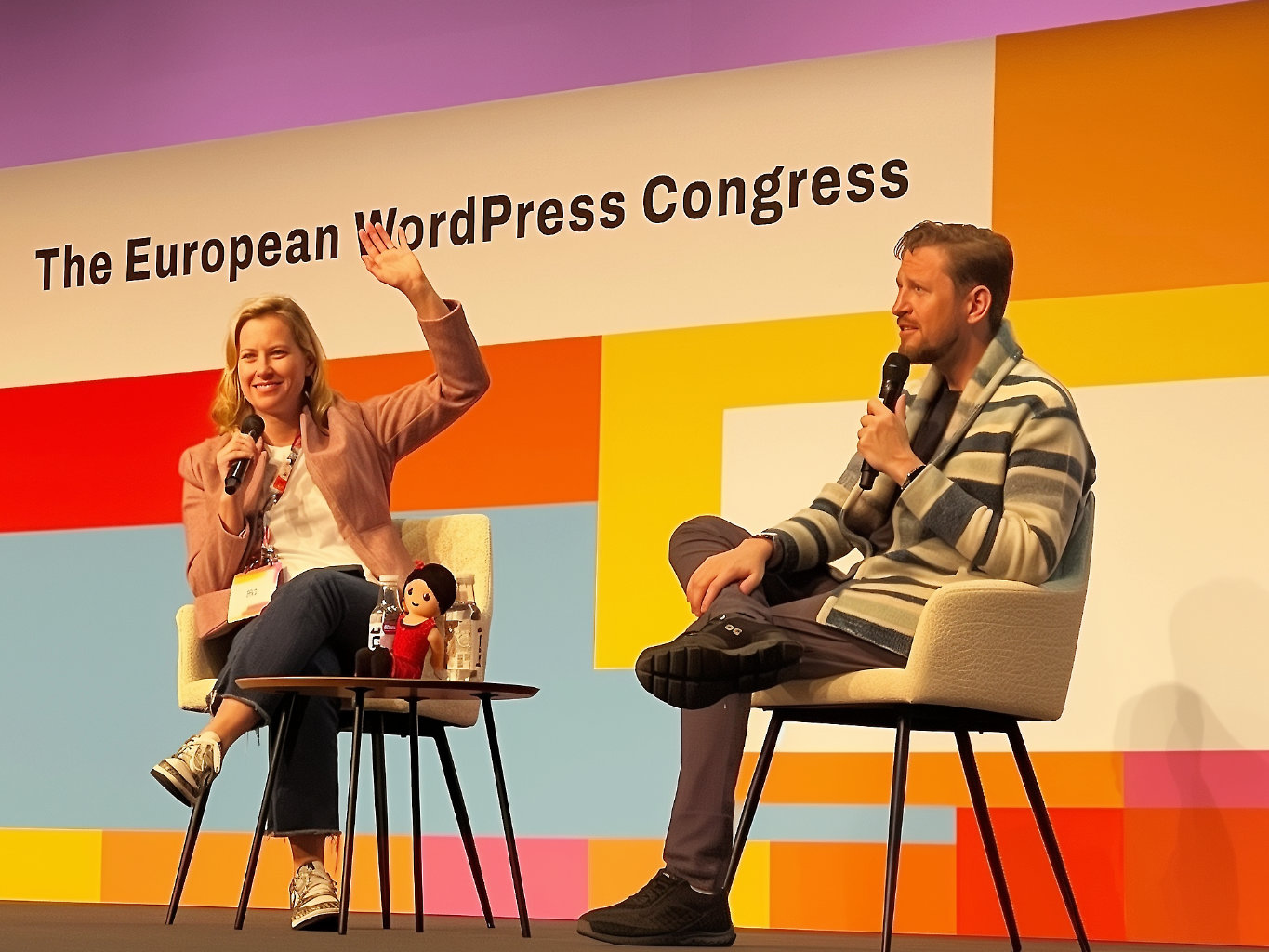
    But leadership analysis isn’t just about words—it’s about behavior. While fancy bottled water sat untouched by Mary on stage, she got up mid-conversation and walked to the catering area to get herself plain water in a regular cup. This wasn’t about hydration; it was about authenticity. In an era where executive leadership often feels performative, Mary’s choice to prioritize substance over staging revealed something fundamental about her approach to the role. She’s willing to disrupt formality for practicality—a leadership trait that suggests she’ll prioritize operational effectiveness over organizational ceremony.

    The Direct Messages

    WordPress leadership made several clear strategic statements:

    AI Integration Priority: Matt outlined specific areas for AI implementation across WordPress interfaces, with particular emphasis on development automation, content creation, and administrative efficiency. This represents committed development resources, not experimental features.

    Community Sustainability: The Campus Connect program expansion to 5,000 university students with mandatory contribution requirements signals a systematic approach to contributor pipeline development. This addresses WordPress’s aging contributor base through institutional partnerships rather than individual recruitment.

    Performance Infrastructure: The plugin directory statistics—72,000 plugins, 630 billion requests, 17.5 billion downloads—were positioned as competitive differentiators. These numbers establish WordPress’s scale advantage in ecosystem discussions.

    Strategic Positioning Revealed

    Beyond direct statements, several strategic positions emerged through response patterns and language choices:

    Accountability Over Activity

    I think we made a classic mistake… we were measuring input not output.

    – Matt

    Matt’s critique of “measuring input not output” in Five for the Future indicates a fundamental shift toward ROI-based contribution evaluation. Organizations sponsoring WordPress contributors should expect metrics-based reporting requirements and result-oriented project assignments.

    Mary’s emphasis on “impact” measurement and data collection through tools like Baturja confirms this direction. The community-contribution model is professionalizing.

    Centralized Control Response

    The Project Fair discussion revealed WordPress’s defensive positioning around ecosystem fragmentation. Matt’s emphasis on supply chain security, unified analytics, and centralized trust mechanisms indicates increased protective measures around the plugin directory.

    This suggests WordPress views distributed plugin repositories as competitive threats rather than collaborative opportunities. Expect strengthened barriers to plugin ecosystem fragmentation.

    Educational Infrastructure Investment

    The Campus Connect university partnership represents long-term workforce development strategy. By embedding WordPress skills in formal education curricula, WordPress creates sustainable competitive advantage that other platforms cannot easily replicate.

    This moves beyond community building into market development through educational institutions.

    Key Strategic Moments

    https://wordpress.tv/wp-content/uploads/2025/06/video-13b44e5373.mp4

    Early in the conversation, when Mary discussed the sustainability team dissolution, her language shifted from diplomatic to directive. Her statement about “embedding sustainability throughout the project” rather than maintaining a dedicated team revealed WordPress’s broader strategy of eliminating single-purpose advocacy groups that don’t produce measurable outcomes.

    The most revealing moment came during the Project Fair discussion when Matt responded with genuine surprise rather than diplomatic deflection. His choice of words—”worked on in secret for six months”—wasn’t prepared messaging; it was unfiltered reaction revealing WordPress leadership’s perception of competitive threats.

    During the Five for the Future discussion, Matt’s emphasis on “debating, arguing more about software and interfaces and code” represented direct critique of current community dynamics. The audience response—a noticeable energy shift—confirmed this message resonated as intended correction rather than inspirational rhetoric.

    Late in the Q&A session, during Courtney Robertson’s question about contributor metrics, Mary’s response about Baturja funding revealed the financial pressure behind community tooling decisions. When she said “I would love it to be funded by somebody else. Automatic currently funds it and it’s very expensive,” she was making a public funding request while maintaining transparency about resource constraints.

    During the WooCommerce competitive positioning discussion, Matt’s emphasis on data liberation and improved importers wasn’t just feature discussion—it was competitive strategy articulation designed for implementation planning against Shopify.

    In the final questions, when multiple contributors asked about team dissolution and resource allocation, the pattern of responses revealed WordPress’s shift from community accommodation to performance-based decision making.

    Operational Implications

    For Development Organizations

    The AI team formation and Matt’s emphasis on development automation tools signal significant productivity opportunities alongside displacement risks. Routine WordPress development tasks will increasingly become automated, requiring agencies to focus on higher-value strategic and customization work.

    Organizations should evaluate their service portfolios for automation vulnerability and identify differentiating capabilities that resist commoditization.

    For Plugin Developers

    WordPress’s protective stance around the plugin ecosystem means increased scrutiny in approval processes. The emphasis on security scanning, trust verification, and supply chain integrity indicates more rigorous review requirements.

    Plugin developers should prepare for longer approval cycles and enhanced security documentation requirements. Quality and compliance will become competitive advantages.

    For Enterprise Implementation

    Mary’s consistent reference to “business users” rather than “enterprise clients” confirms WordPress’s positioning strategy. The platform maintains its accessibility focus while adding business capabilities, rather than creating distinct enterprise tiers.

    This creates opportunities for implementation partners who can bridge WordPress’s community-oriented features with enterprise requirements.

    Timeline and Investment Priorities

    Based on resource allocation signals and development commitments:

    Near-term (6-12 months): Enhanced plugin security systems, Five for the Future accountability frameworks, AI interface integrations

    Medium-term (1-2 years): Campus Connect graduate integration, automated development tool deployment, competitive response to ecosystem alternatives

    Long-term (3+ years): Educational pipeline impact on contributor demographics, AI-driven development workflow transformation

    Strategic Recommendations

    For Organizations Using WordPress: Plan development roadmaps around increased AI integration and automated workflows. Evaluate current development processes for efficiency opportunities and competitive threats.

    For Service Providers: Assess service portfolios for automation vulnerability. Identify high-value capabilities that require human expertise and strategic thinking.

    For Contributors: Understand the shift toward measurable contribution outcomes. Focus on deliverable results rather than participation metrics.

    Business Intelligence Takeaways

    WordPress is transitioning from consensus-driven community management to performance-measured platform governance. This doesn’t abandon community principles but adds business discipline to community operations.

    The platform is simultaneously defending market position against ecosystem fragmentation while investing in long-term competitive advantages through educational partnerships and AI integration.

    For organizations building on WordPress, this represents both opportunity and requirement for strategic adaptation. The platform’s evolution demands corresponding evolution in how businesses approach WordPress implementation and development.

    CRM is a mindset and WordPress is applying systematic relationship management principles to community development, contributor engagement, and ecosystem control.

    You’ve come to the last part of a three-part series about the World Camp Europe 2025. Feel free to check out my raw take and the deep dive into key sessions.

  • WordPress Business is Not WordPress.com: Three Sessions That Revealed the Real Story

    WordPress Business is Not WordPress.com: Three Sessions That Revealed the Real Story

    Published: 2025-06-11

    I must have attended roughly 10+ sessions over the two days in Basel, and to be honest, my focus as a CRM nerd gravitates toward the business side of WordPress. While the technical sessions were impressive (Ryan Welcher is a legend), I found myself drawn to conversations about customer relationships, business models, and strategic positioning—areas where“CRM is a mindset”becomes essential for understanding WordPress’s evolution.

    Before diving into my analysis, I want to mention two sessions that were emotional in their own ways. The first was WordPress without Borders — The Fight for Digital Freedom by Noel Tock. The experiences he shared from the front line in Ukraine put everything we do in tech into perspective and made everyone more reflective.

    In quite the contrast, there was the session by Marieke van de Rakt, Jono Alderson, and Amber Hinds where they live-critiqued three websites—super insightful and genuinely entertaining to watch (Schadenfreude is real, sorry). They highlighted crucial technical details like excluding staging sites from search engine indexing (something many agencies miss) and demonstrated how to prepare websites for the European Accessibility Act (EAA) coming into effect on June 28, 2025—practical insights with immediate legal and SEO implications.

    But three sessions stood out for their strategic implications, revealing patterns that only became fully clear after hearing the leadership perspective during the fireside chat. A dedicated blog coming soon – Follow on X to be the fist to know.

    Session 1: Building Support as Core of Product

    Anna Hurko – Crocoblock

    Key Insight: Customer-centric businesses should let support lead the strategy

    Anna Hurko’s journey from Senior Technical Support Specialist to CEO at Crocoblock isn’t just an inspiring career story—it’s a masterclass in understanding that customer support is fundamentally a CRM function. Her presentation challenged the traditional support hierarchy with three rule-breaking principles:

    🔄 Support = Customers (not a cost center)🎯 No tiers = Everyone gives top-level support👥 Whole team ownership = Everyone is part of the support team

    What struck me wasn’t just the philosophy but the implementation. Crocoblock involves QAs, developers, project managers, product managers, community managers, copywriters, and video content creators in support. This isn’t about efficiency—it’s about relationship intelligence.

    From a CRM perspective, this approach creates unprecedented customer data flow throughout the organization. When your entire team interacts with customers across live chat, tickets, Zoom calls, GitHub issues, refunds, interviews, community platforms, and WordCamps, you’re not just providing support—you’re building a comprehensive customer relationship ecosystem.

    The audience questions revealed a common pain point: agencies struggling to scale personalized service. Anna’s model suggests the solution isn’t automation—it’s systematic human engagement.

    Let’s stop calling it “Support” and start recognizing it as what it really is: distributed customer relationship management, or better CRM is a Mindset.

    Session 2: WaaS for Agencies: Opportunities, Challenges & Pricing

    Sandra Kurze – GREYD

    Key Insight: Scale through systems thinking, not just resources

    Sandra Kurze presented Website as a Service (WaaS) as more than recurring revenue—it’s a fundamental business model shift toward standardization, scalability, and automation. But what initially appeared to be an agency-focused session revealed something much larger.

    The Reality Check: Traditional agency scaling means hiring more people for each project. WaaS means building systems that handle hundreds or thousands of sites with the same core team.

    The technical demonstrations showed how GREYD handles systems of hundreds of connected sites, but the real insight came through examples:

    • Mrs. Sporty franchise: 250 locations across Europe
    • Enterprise partner programs: Partners pay “marketing fees” for branded landing pages
    • Centralized control: Global updates with local customization capabilities

    The community reaction was telling. Questions focused heavily on pricing models and client retention, but missed the strategic implication: WaaS isn’t about selling websites—it’s about selling business systems.

    With a CRM mindset, WaaS represents a shift from project-based transactions to relationship-based subscriptions. The customer data, behavioral patterns, and business intelligence generated across these connected systems create competitive advantages that traditional one-off web projects simply cannot match.

    Sandra’s mention of small agencies handling thousand-site projects through scalable systems wasn’t just about operational efficiency—it was about data scale and relationship depth that rivals enterprise platforms.

    Session 3: What We Learned Building Site Kit

    Maria Moeva – Google

    Key Insight: Organize around customer questions, not internal capabilities

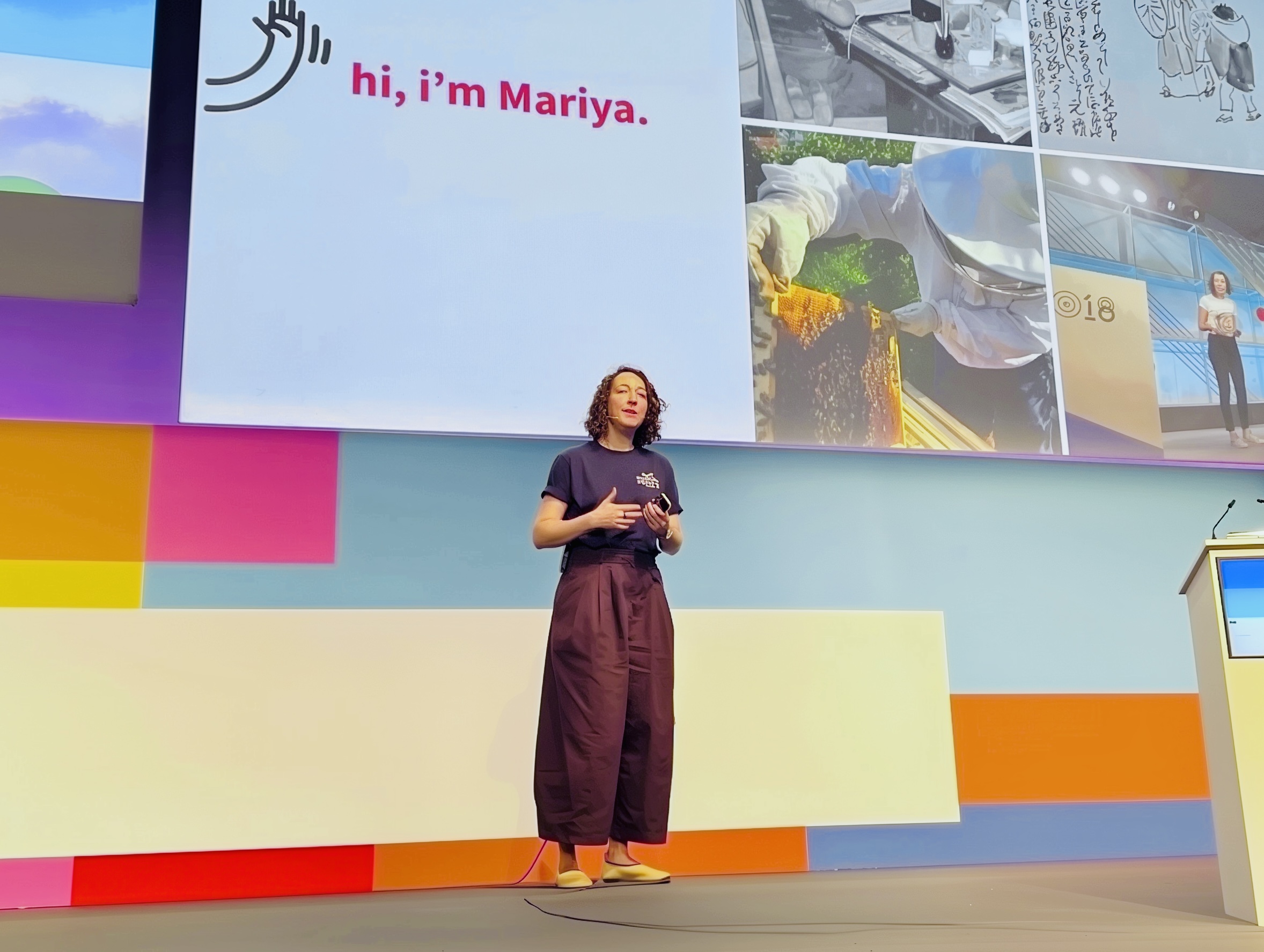
    Maria Moeva’s session on Google’s Site Kit plugin was surprisingly under-attended, which was unfortunate because it contained some of the most actionable strategic insights of the conference. Her 15-year journey at Google—from classical Japanese literature through beekeeping to product management—brought a unique perspective to making complex tools accessible.

    The Three Lessons from Site Kit:

    • Make complex tools accessible → Bridge the gap between power and usability
    • Translate data into action → Answer customer questions, don’t just show data
    • Show the whole story → Connect visitor behavior to business outcomes

    The most significant insight was organizational: Site Kit’s evolution from product-organized to question-organized dashboards. Instead of “Analytics section, Search Console section,” they pivoted to answering customer questions:

    • “Am I getting traffic?”
    • “Is my content performing well?”
    • “Is my site fast?”
    • “Am I making money?”

    This represents a fundamental shift from tool-centric to customer-centric thinking. CRM is a mindset means organizing around customer needs, not internal capabilities. Site Kit’s personalization feature—asking “What’s the purpose of your site?” and curating metrics accordingly—demonstrates how proper customer segmentation drives product decisions.

    Forward-looking implications: If Google is moving their WordPress integration toward question-based, personalized experiences, agencies and enterprises need to think beyond feature sets toward customer outcome optimization.

    (🐝 And yes, I would have loved to hear more about the beekeeping—managing 50,000-60,000 bees definitely provides unique perspectives on systems thinking!)

    The Pattern Recognition

    Three different rooms, three different topics, but one consistent message emerging about WordPress’s evolution: the business model is shifting from transactions to relationships.

    Anna’s support-as-product approach, Sandra’s WaaS systems thinking, and Maria’s customer-centric tool design all point toward the same strategic direction. WordPress isn’t just enabling websites—it’s becoming the infrastructure for customer relationship platforms.

    🔄 The Recurring Theme: Every session emphasized systematic customer engagement over one-off deliverables.

    ❓ The Missing Conversation: Nobody explicitly discussed how these approaches generate competitive customer intelligence, but that’s exactly what they do.

    🎯 The Competitive Response: While other platforms focus on features, WordPress is positioning around relationships and business outcomes.

    This pattern became crystal clear when I later analyzed Matt and Mary’s fireside chat, where strategic directions that weren’t publicly announced but were hinted at revealed the full scope of WordPress’s business evolution.

    The strategic direction hinted at in these sessions was confirmed—and expanded upon—during the fireside chat. But Matt and Mary’s conversation revealed implementation timelines and business implications that most attendees completely missed. Those insights explain exactly why the energy in that packed main hall might have felt different from previous WordCamps.

    Coming soon: Part 3 will dissect the Matt Mullenweg and Mary Hubbart fireside chat, revealing the strategic decisions shaping WordPress’s future that weren’t in the official announcements.

  • Inside WordCamp Europe 2025: A Tech Strategist’s Raw Take

    Inside WordCamp Europe 2025: A Tech Strategist’s Raw Take

    Published: 2025-06-09

    Sitting in the front row at the fireside chat with Matt and Mary talking about the state of affairs of WordPress, I came across a term again that I haven’t read in a while:

    data liberation“.

    It perfectly reflects what I’ve been thinking and working on over the past few years. You have to own your content, you have to own your data, and be free with it to share it with the platform that you like.

    This isn’t only true for CRM systems that I’m focused on—it’s fundamental to how we should approach data and personal information online everywhere. This was a key moment across the three days, and I’m getting ahead of myself because there’s a lot more to unpack.

    From Spontaneous Discovery to Strategic Insight

    Four weeks ago, I didn’t even know about the WordPress community. Then, thanks to the WordPress dashboard (which needs some strong improvements, by the way—I agree with Matt on that one), I discovered WordCamp Lisbon and attended it spontaneously. That’s where I met the vibrant people of the community and learned about the event in Basel.

    Despite all odds, I booked the flight and attended without any time to build expectations. In this approach, you’ll find my honest impressions. Since there’s substantial ground to cover, I’m creating three parts: this raw take from the event, a deep dive into the sessions I strategically attended, and a detailed analysis of that revealing fireside chat with Matt and Mary.

    The Community Pulse: Alive and Evolving

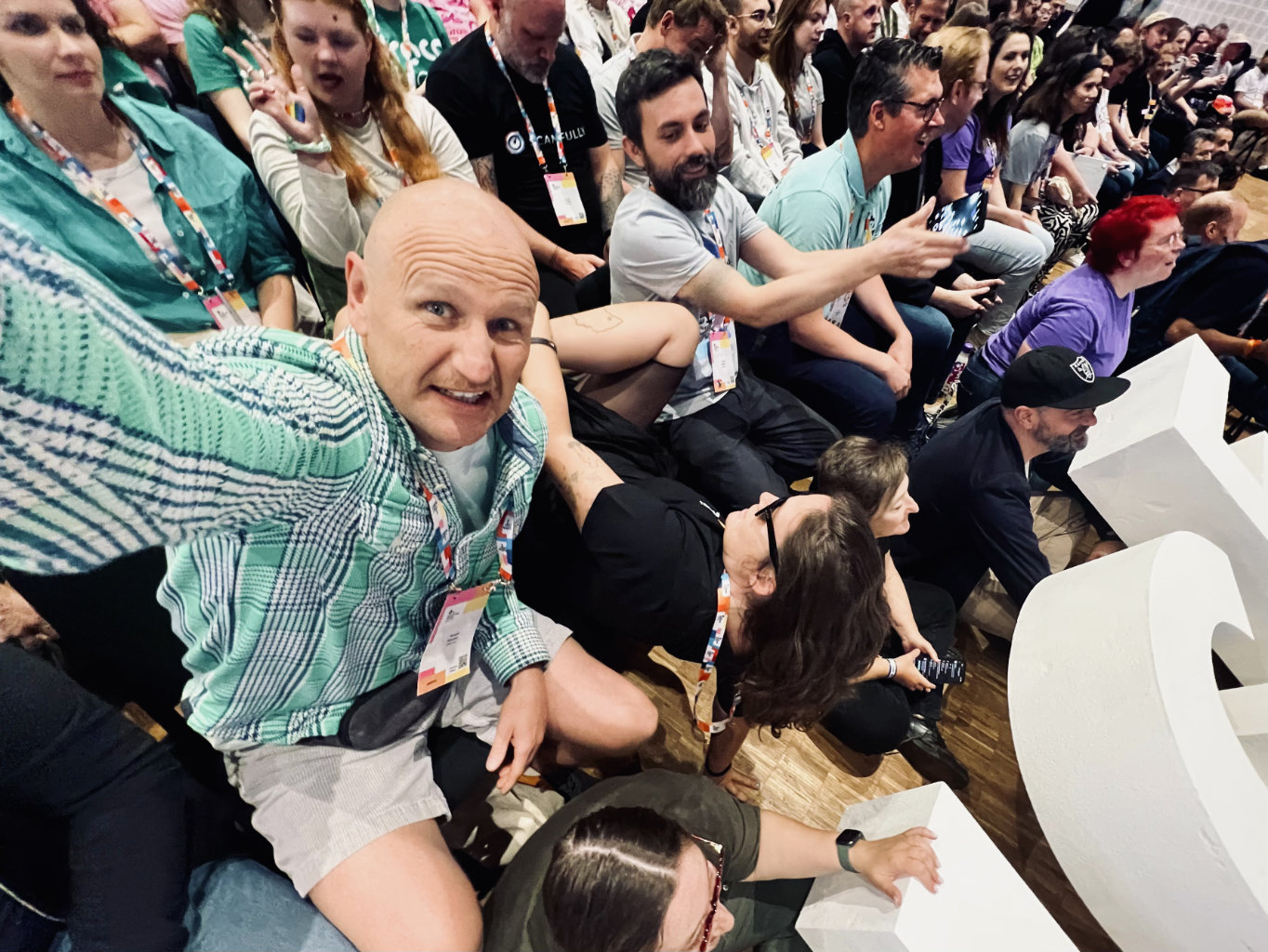
    WordPress is alive and powering roughly 50% of the internet, with Google and Salesforce there as title sponsors. The vibe was vibrant—everyone discussing what’s genuinely interesting about WordPress, what they can accomplish with it, and expressing gratitude for what the platform offers. The hundreds of volunteers working on the event is a statement by itself. This volunteer-driven approach mirrors what I see in successful CRM implementations—community ownership drives better adoption than top-down mandates.

    The Elephant in the Room

    Of course, there were dark clouds—not only over Basel’s sky but within the community. I won’t dive into anything that’s in progress, but the launch of Project FAIR was something that surprised many and will definitely impact the path forward.

    What I took away was Matt’s statement: “A lot of great inventions in the WordPress community started with ‘we don’t like the way this is done. Let’s do our own thing.’” Then later, these innovations made it back into core. That’s a productive mindset, but the situation was definitely a discussion topic on and off stage.

    Three Moments That Shifted My Perspective

    1. The AI Team Formation

    I didn’t see many AI buzzwords across the booths and speeches, but AI was part of numerous conversations. The fact that WordPress is forming its own AI team proves this matters strategically. This reminds me of how forward-thinking organizations approach CRM—not chasing every trend, but methodically building capability where it delivers real value.

    2. The Block Editor Evolution

    Gutenberg Block Editor and Interactive API were huge topics. Everyone was discussing them, and my take is that most have converted to block editor advocates. There’s still ongoing discussion, and it’s productive to observe.

    As a satisfied user of WordPress 6.8 with standard Twentytwentyfive theme, using Gutenberg blocks, I can confidently say this is remarkable. I used to purchase premium themes for commercial projects. Now I can accomplish more than 80% of the work with everything available in the free version of WordPress, which creates tremendous opportunities.

    3. The Unexpected Q&A Dynamic

    Something few people anticipated was an actual Q&A session during Matt and Mary’s fireside chat, which included genuinely direct feedback from the community. I’ll examine this in a dedicated analysis, so stay with me through this series.

    What Nobody Was Discussing

    Something absent from conversations was WooCommerce’s current limitations and the competitive landscape against platforms like Shopify or Wix, who make user onboarding significantly easier. For WordPress to compete effectively, substantial work remains—particularly around WooCommerce’s checkout process, which is still restrictive with considerable development needed.

    This presents future risk, as confirmed by several one-on-one conversations I had with community members. This connects to a principle I call “CRM as a mindset“—the best systems prioritize user experience over technical features, and WordPress still has work to do here.

    The Generational Challenge

    There’s a saying: “If you’re the smartest person in the room, you’re in the wrong room.” I like to adapt this to: “If you’re the oldest person in the room, bring in more young people.”

    In this event’s context, I felt great company, but I was particularly intrigued by something Matt mentioned about bringing younger people into the developer community. I’ll dissect that comment and its implications in my upcoming analysis of the fireside chat—it reveals more about WordPress’s strategic challenges than most realize.

    Coming Next: In Part 2, I’ll break down the three strategic sessions I attended, including insights on enterprise WordPress implementation, potential CRM use cases and integration patterns, and the technical demonstrations that revealed WordPress’s actual capabilities and what plugins might make it even more fit for purpose.

    Coming soon Part 3: The complete fireside chat analysis—including the uncomfortable questions, strategic admissions, and timeline revelations that most attendees missed but every WordPress professional should understand.